Music, pinned to places

The soundtrack to wherever you’re standing.

Pin the songs that belong to a café, a trailhead, a street corner. Add a note about why. Then see what strangers left behind wherever you happen to be standing.

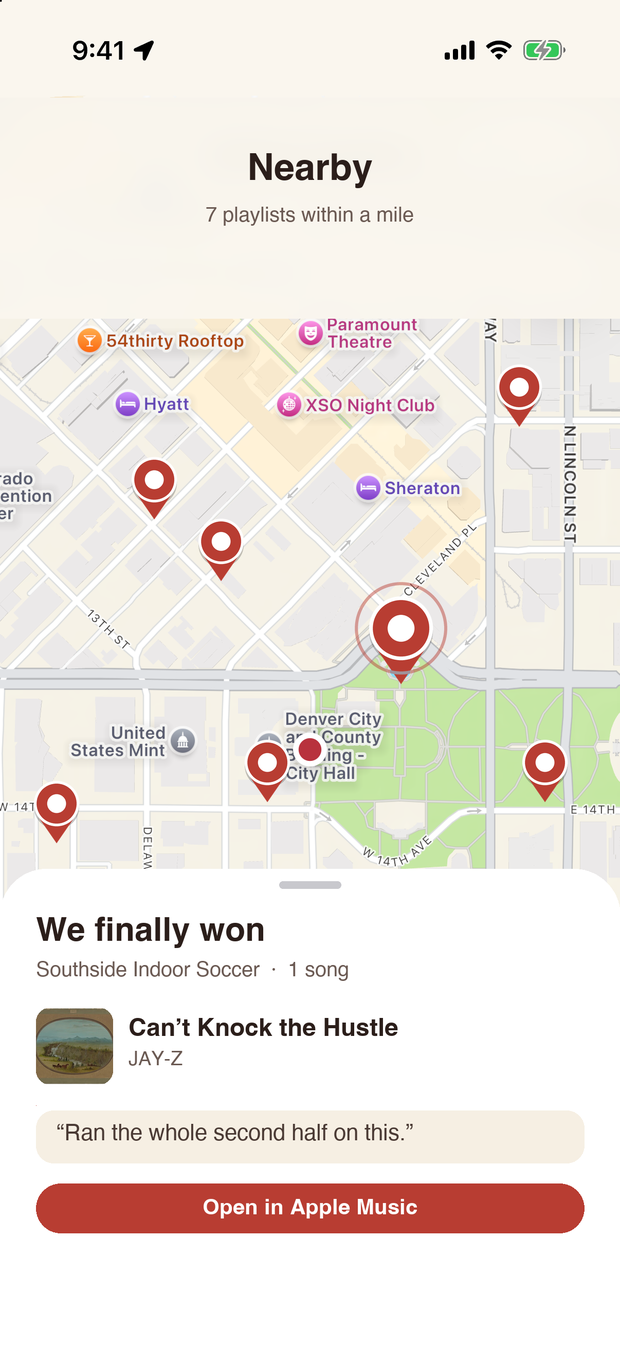
Map of nearby playlists. The selected pin shows “We finally won”, a playlist at an indoor soccer field with Can’t Knock the Hustle and the note “Ran the whole second half on this.”

Three steps from a feeling to a pin.

  1. Get a vibe

    A place stirs something and a song comes to mind. Open Playcelist and the map starts right where you’re standing.

  2. Add the songs

    Search Apple Music, pick tracks, and write a short note on each about why it belongs here.

  3. Let others find it

    Anyone nearby sees your pin, reads your notes, and opens the playlist in Apple Music.

Built for walking around.

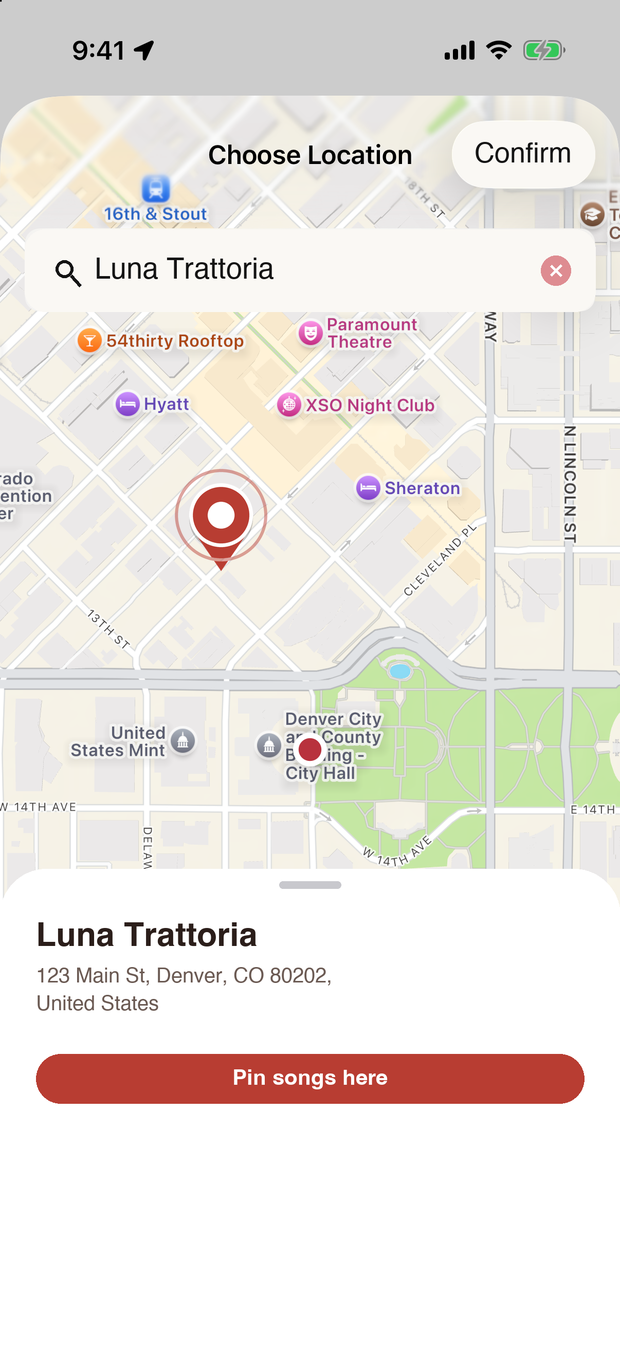
Choosing Luna Trattoria, a restaurant, as the place for a new playlist
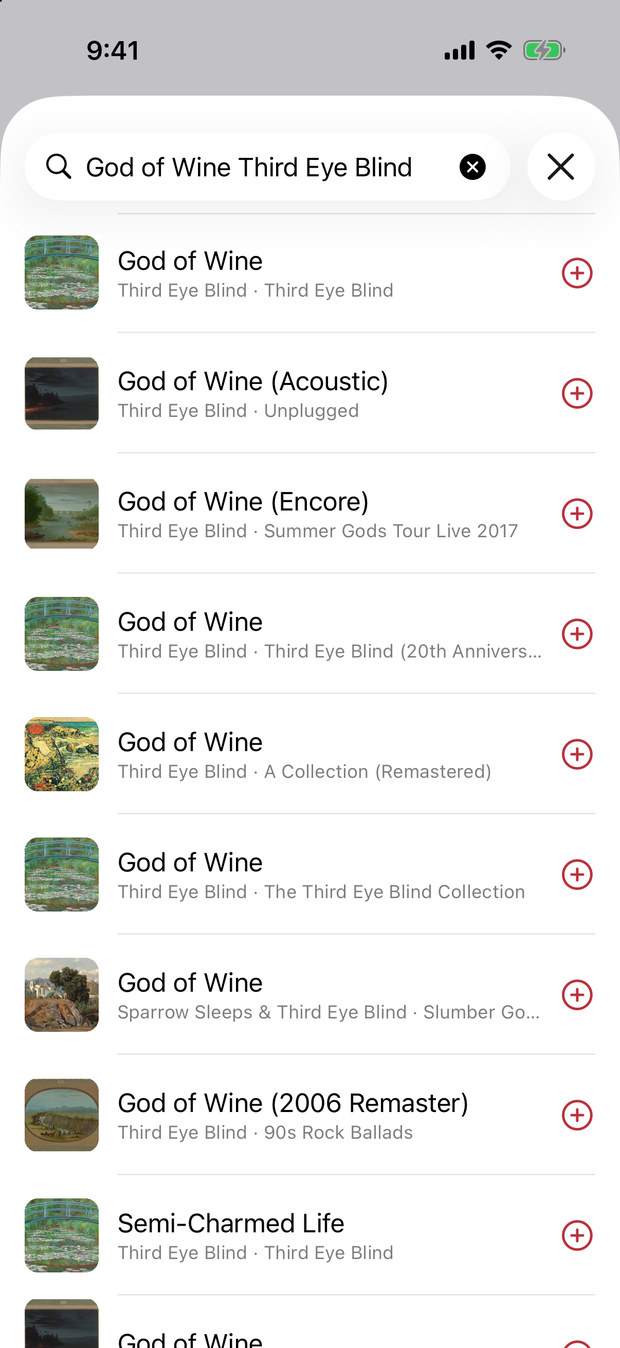
Searching Apple Music for God of Wine by Third Eye Blind
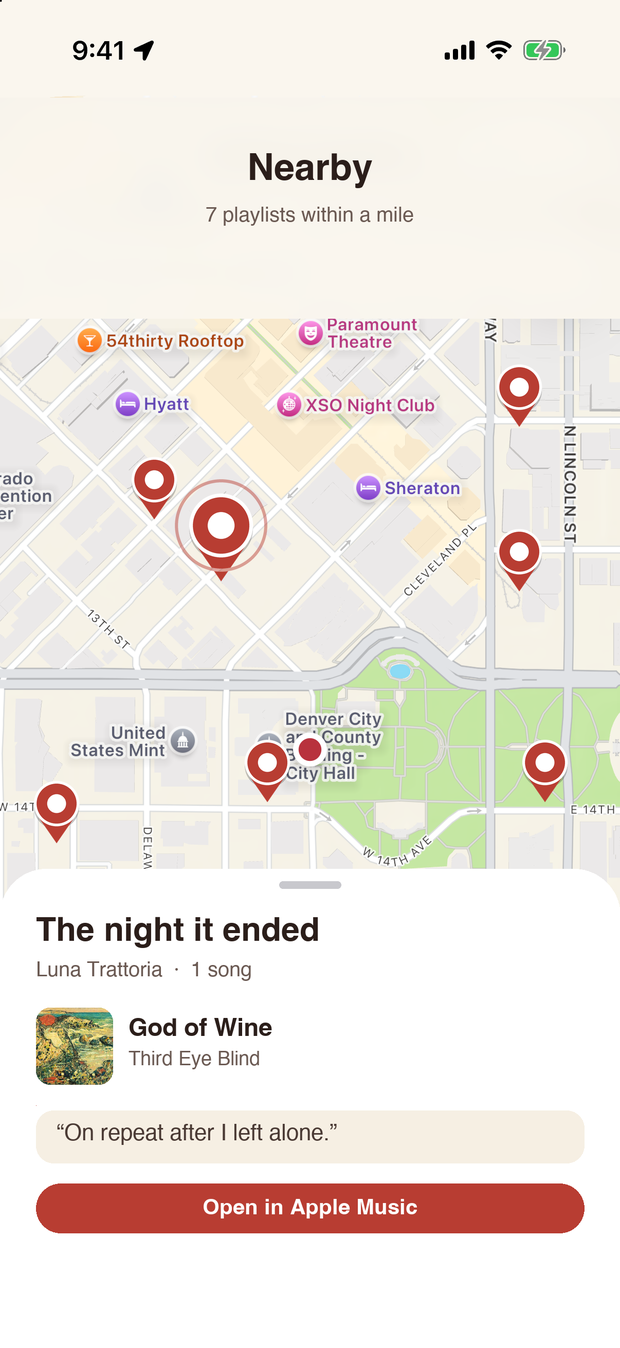
The finished playlist, “The night it ended”, with God of Wine and the note “On repeat after I left alone.”

No likes. No comments. No followers.

Playcelist is a map of songs, not a social network. It collects only what it needs to work.

Leave a song where you felt it.

Download on theApp Store